In today’s digital world, local customers search on Google before visiting any shop. Whether it’s a bakery, mobile store, clothing shop, salon, or hardware store, people usually type phrases like “shop near me” or “best store in my area” to find the right place quickly. This shift in customer behavior makes online visibility extremely important for every local business. This is where Google My Business (GMB)—now known as Google Business Profile—plays a major role. It helps your shop appear in Google Search and Google Maps when nearby customers are actively looking for products or services you offer. A well-optimized Google Business Profile can bring direct phone calls, direction requests, website visits, and walk-in customers without spending money on ads.
If your local shop is not properly optimized on Google My Business, you are likely losing potential customers to competitors who rank higher in local search results and the Google Maps top listings. Even if your shop offers better quality or pricing, customers may never find you online.
In this blog, we’ll walk you through step-by-step Google My Business optimization tips for local shops. These practical strategies will help improve your visibility, increase calls and visits, and ultimately boost sales by reaching the right local audience at the right time.
What Is Google My Business (Google Business Profile)?
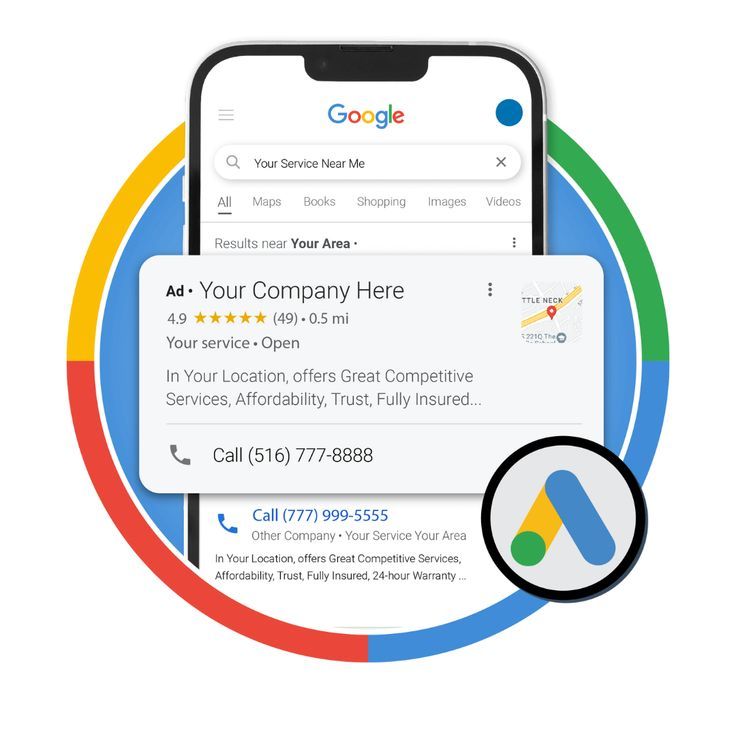
Google My Business is a free tool from Google that helps local businesses manage how they appear on:
- Google Search
- Google Maps
- Local Pack (Top 3 map results)
With a properly optimized GMB profile, your shop can:
- Appear for local searches
- Get phone calls directly from Google
- Receive direction requests
- Build trust through reviews
Why Google My Business Is Important for Local Shops
Here’s why GMB optimization is a must for local businesses:
- 80%+ users search local businesses on Google
- Google Maps results get higher clicks than websites
- Customers trust businesses with photos & reviews
- GMB drives free traffic without paid ads
Simply put: No GMB = No local visibility
Step 1: Claim and Verify Your Google My Business Listing
The first step is to claim your business profile.
How to do it:
- Go to Google and search your business name
- If it exists, click “Own this business?”
- If not, create a new profile
- Verify via:
- Postcard
- Phone
- Email (if available)
💡 Always use your real business name and address.
Step 2: Use Accurate NAP Details (Name, Address, Phone)
NAP consistency is critical for local SEO.
Make sure:
- Business name is exact (no extra keywords)
- Address matches your shop location
- Phone number is active and reachable
📌 The same NAP should be used on:
- Website
- Social media
- Online directories
Step 3: Choose the Right Business Category

Your primary category tells Google what your shop does.
Example:
- Mobile shop → Mobile Phone Store
- Clothing shop → Clothing Store
- Salon → Beauty Salon
- Bakery → Bakery
You can also add secondary categories to cover more services.
⚠️ Wrong category = wrong audience = low ranking
Step 4: Write an SEO-Friendly Business Description

You get 750 characters to describe your business.
Tips for description:
- Use main keywords naturally
- Mention location
- Highlight services & experience
Example:
“ABC Mobile Shop is a trusted mobile phone store in Malappuram offering the latest smartphones, accessories, and repair services. We provide quality products, affordable prices, and reliable customer support.”
📌 Don’t add phone numbers, links, or offers here.
Step 5: Add High-Quality Photos & Videos Regularly
Photos increase engagement and trust.
Upload:
- Shop exterior (helps customers find you)
- Interior photos
- Product images
- Staff photos
- Work-in-progress photos
- Short videos (10–30 sec)
📸 Businesses with photos get more clicks and calls.
👉 Update photos at least once a week.
Step 6: Enable Messaging & Call Features
Turn on:
- Call button
- Chat / Messaging
This allows customers to contact you instantly.
💡 Quick replies improve trust and conversions.
Step 7: Collect More Google Reviews (Very Important!)
Reviews are a top-ranking factor for Google My Business.
How to get more reviews:
- Ask customers after purchase
- Share the review link on WhatsApp
- Add a review QR code in the shop
- Reply politely to every review
Tips:
- Never buy fake reviews
- Respond to negative reviews professionally
- Use keywords naturally while replying
⭐ Aim for 4.5+ rating
Step 8: Post Regular Updates on Google My Business
GMB posts work like mini social posts.
You can post:
- Offers
- New products
- Events
- Announcements
- Tips
📅 Post at least 1–2 times per week.
This keeps your profile active and improves visibility.
Step 9: Add Products & Services Section
Use the Products and Services tab properly.
Add:
- Product name
- Price
- Description
- Image
For service-based shops:
- List all services clearly
- Use keywords in descriptions
This helps Google understand what you sell.
Step 10: Optimize for “Near Me” Searches
To rank for near me searches:
- Add location keywords naturally
- Encourage reviews mentioning the location
- Keep profile active
- Use local images
Example keywords:
- “mobile shop near me”
- “best bakery in Malappuram”
Step 11: Track Insights & Performance
Google My Business provides Insights such as:
- Search queries
- Calls received
- Direction requests
- Profile views
Use this data to:
- Improve keywords
- Post better content
- Understand customer behavior
Common Google My Business Mistakes to Avoid
❌ Keyword stuffing in a business name
❌ Fake address
❌ Ignoring reviews
❌ No photos
❌ Inactive profile
Avoid these to maintain ranking and trust.
How Google My Business Helps Local Shops Get More Customers
With proper optimization:
- Your shop appears in the top 3 local results
- You get free leads daily
- Customers trust your business more
- Sales increase without ads
Google My Business is one of the highest ROI tools for local shops.
Final Thoughts
Google My Business optimization is no longer optional—it has become essential for every local shop that wants to attract more customers in today’s competitive digital market. Most customers search for nearby shops on Google before visiting or calling, and businesses that appear at the top of Google Maps get the maximum attention, trust, and traffic.
By following proven Google My Business optimization tips, local shops can significantly improve their online visibility. A well-optimized profile helps your business rank higher on Google Maps and local search results, making it easier for potential customers to find you. When your shop appears in the top results, it naturally leads to more phone calls, website visits, and walk-in customers without spending money on ads.
Google My Business also helps you stand out from local competitors. Regular updates, quality photos, accurate business information, and genuine customer reviews build trust and show Google that your business is active and reliable. This gives you a strong advantage over competitors who ignore their listings or leave them incomplete.
If your local shop is not ranking yet, now is the right time to take action. Start optimizing your Google My Business profile today to increase visibility, attract more customers, and grow your business faster in your local area.